
By Michael Hayes
Quick Answer: TempTraq is a soft, disposable patch worn under the arm. It senses body temperature continuously, sends the readings to a free phone app over Bluetooth, and alerts you the moment your child’s temperature crosses a level you set. You never have to wake or disturb them to check.
A restless night with a feverish child usually means constant temperature checks, a crying kid, and no real rest for anyone. This guide walks through TempTraq how it works sleep improvement in practical terms: what the patch does, how to set it up overnight, and how it can reduce the number of times you wake a sick child just to check a number.
Wearable Thermometer Fever Monitoring Overnight Care Sleep Comfort
Safety Disclaimer: This article is for general educational information only. It does not diagnose, treat, cure, or prevent any condition and does not replace advice from a licensed healthcare professional. Seek professional help for severe, worsening, unusual, or persistent symptoms.
What Is TempTraq and How Does It Work?
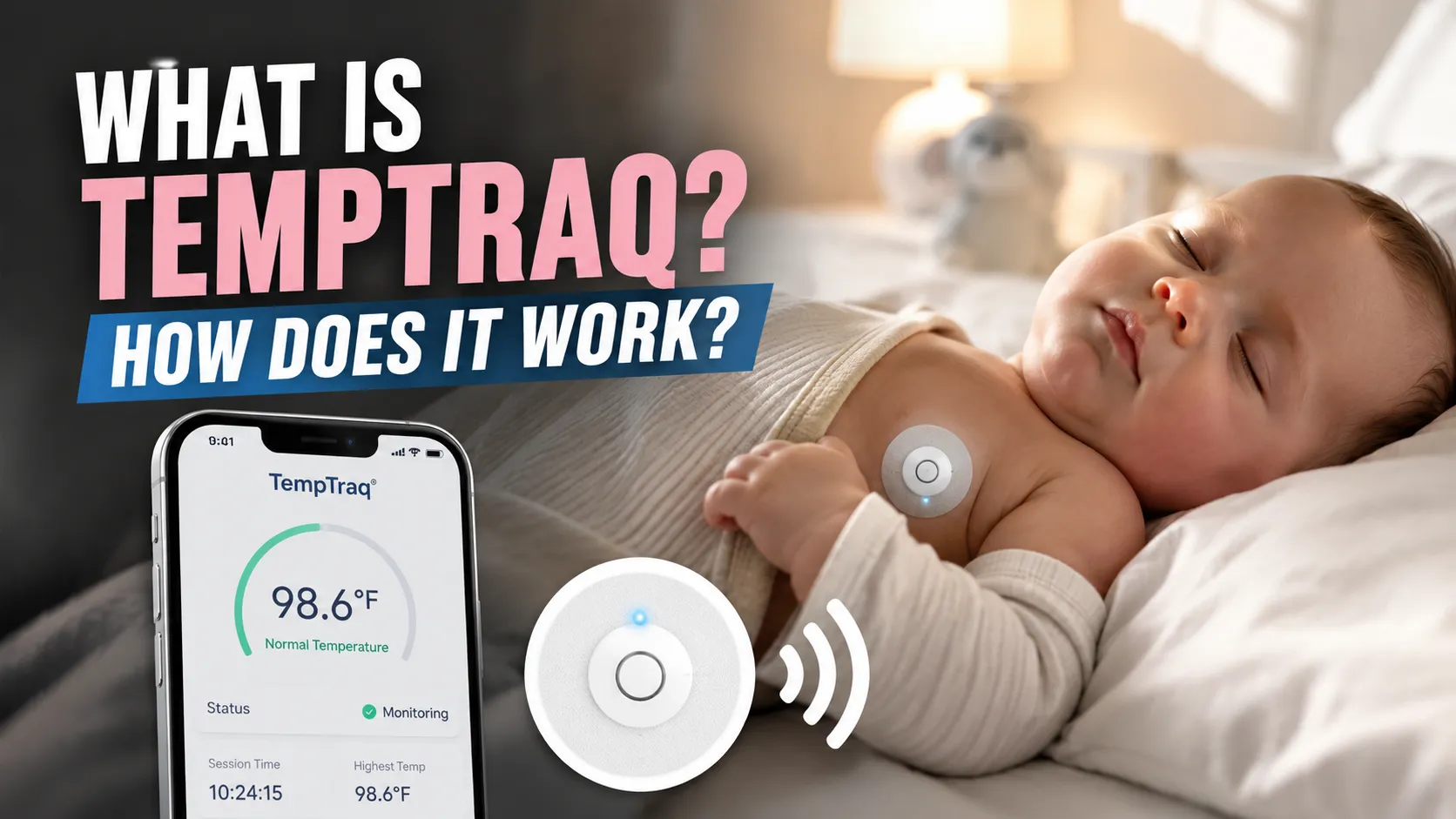
TempTraq is an FDA-cleared, single-use wearable patch that sticks to the skin under the arm. Once activated, it reads body temperature every few seconds and sends the data over Bluetooth to a free smartphone app. The patch runs continuously for 24 to 72 hours depending on the model, so there is no need to hold a thermometer in place or wake someone to take a reading.
Inside the thin, flexible patch is a small circuit and battery, built to sit comfortably against skin for long wear. A soft adhesive layer keeps it in place through normal movement and sleep, which matters for anyone asking how does TempTraq work in a real bed, on a real restless kid, overnight.
Parents can set a temperature alert threshold in the app. When body temperature crosses that number, the phone gets a notification. This is the core of TempTraq how it works sleep improvement: the app watches the number so a tired parent does not have to. Instead of a single snapshot reading, the app also builds a running graph of temperature over time, which can make patterns easier to notice than a handful of scattered manual checks.
Some versions of the system are also used in hospital settings, where staff monitor several patients from a central station instead of walking room to room. At home, the same continuous-tracking idea simply gets scaled down to one child, one phone, and one bedroom.
TempTraq vs. Traditional Thermometers
How TempTraq Supports Better Sleep During a Fever
Fever nights are often disrupted by two things: a child waking up because of discomfort and a parent waking up repeatedly to check the thermometer. TempTraq how it works sleep improvement mainly focuses on reducing the second problem. Because the patch automatically sends temperature readings to a phone, caregivers can avoid the worry-driven habit of checking the temperature every hour and instead rely on an alert to wake them only when necessary.
This matters because sleep loss compounds quickly during an illness. A child who is repeatedly woken for a manual temperature check often struggles to fall back asleep, and a parent running on broken sleep is less able to make clear-headed care decisions the next day. A beginner may only think about the fever itself; a more experienced caregiver also thinks about protecting the sleep that helps a body recover in the first place.
In a typical routine, once the alert threshold is set correctly, most nights pass with the phone staying silent, because the child’s temperature simply does not cross the line that was set. That quiet stretch, rather than constant checking, is the practical goal behind pairing a wearable monitor with a better night’s rest.
Overnight Routine Flow
A practical guide, not a clinical schedule: the goal is fewer manual checks and more uninterrupted rest for everyone.
Setting Up TempTraq for a Restful Night
1
Clean and dry the underarm area before applying the patch.
2
Press start and pair the patch with the free app over Bluetooth.
3
Set a temperature alert level based on your pediatrician’s guidance.
4
Keep the paired phone within Bluetooth range, close by on a nightstand.
5
Turn down phone brightness and keep alert sounds audible but not jarring.
6
If an alert fires, check on your child calmly before deciding next steps.
7
Remove and discard the patch once it expires or your child recovers.
Note: In a daily routine, I usually notice caregivers sleep better once they trust the app’s alert instead of manually re-checking every hour.
Common Sleep Disruptions During a Fever
Symptom vs. Likely Reason
Safety Decision Path When an Alert Fires
This is a practical guide, not a diagnostic tool. Always follow your provider’s fever-management plan.
Safe Overnight Routine vs. Risky Routine
A safe routine treats TempTraq as one part of a larger fever plan, not a replacement for judgment. The table below compares habits that support a restful, monitored night with habits that quietly undermine the device’s usefulness.
Tip: Practicing the setup once while your child is well can make an actual fever night go more smoothly.
Choosing the Right TempTraq Setup for Your Household
Not every household requires the same amount of wear time. A single rough night may only require a shorter patch, while a lingering illness with several feverish nights in a row may require a longer one. If more than one child is sick at the same time, families will need a separate patch and a separate app profile for each child being monitored.
Patch Fit by Situation
Routine Fit Dashboard
24h Patch
48h Patch
Separate Patches
Ask Pediatrician
A practical guide to matching patch length to your situation, not a medical prescription.
Common Mistakes When Using TempTraq Overnight
Most overnight problems with the patch come from setup habits rather than the device itself. A threshold set too low can trigger frequent, unnecessary alerts, while one set too high can delay a useful warning. Getting familiar with the app before an actual fever night helps avoid both extremes.
Warning: A patch reading should never replace common sense. If your child seems seriously unwell regardless of the number shown, seek care right away.
What Experienced Caregivers Check That Beginners Miss
Beginners often watch only the number on the screen. Experienced caregivers also track the temperature trend line in the app, note how the child behaves between readings, and confirm the patch is still adhered properly. These habits round out TempTraq how it works sleep improvement in real households, not just on paper.
Experienced caregivers also keep a low-key backup plan: a spare patch on hand in case one loses adhesion, a fully charged phone before bed, and a quick mental note of when the last dose of any doctor-approved fever reducer was given. None of this replaces medical guidance, but it does make an overnight routine feel less improvised.
Red-Flag Checklist Dashboard
Checking even one box is reason enough to contact a healthcare professional promptly.
When to Contact a Healthcare Professional
Safety Note: Contact a doctor promptly for a fever in an infant under 3 months, a fever above 104°F, fever lasting more than a couple of days, trouble breathing, stiff neck, rash, severe pain, or unusual drowsiness. TempTraq measures temperature only; it does not replace professional evaluation.
Relative Priority Meter
Mild fever, comfortable child
High fever, irritable child
Red-flag symptom present
A practical guide to urgency, not a medical scoring tool.
Product Options for Sleep-Friendly Fever Monitoring
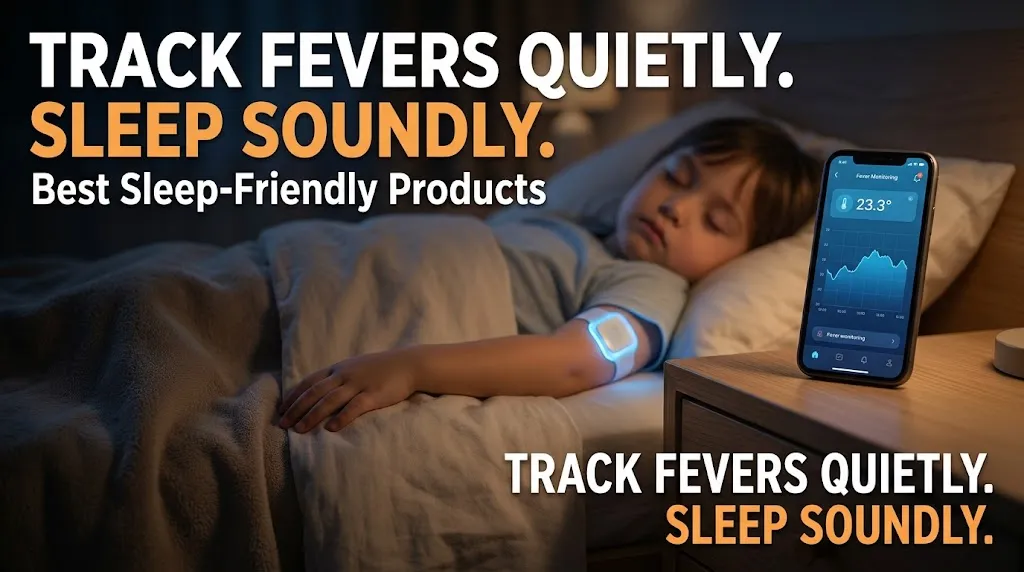
This article may contain affiliate links. If you buy through these links, we may earn a small commission at no extra cost to you. We only mention products that fit the topic and do not replace professional medical advice.
TempTraq 24-Hour Wearable Patch
May support overnight rest by continuously tracking temperature and sending alerts to a phone.
TempTraq 48-Hour Wearable Patch
May make multi-day illness monitoring easier with a longer wear time between changes.
Frequently Asked Questions
Does TempTraq actually improve sleep?
It may help by reducing the number of manual temperature checks, which can mean more uninterrupted rest for the child and caregiver.
How long does one TempTraq patch last?
Depending on the model, a patch runs continuously for 24, 48, or up to 72 hours before it needs replacing.
Is TempTraq safe for young children?
It is designed for skin contact, but a doctor should be consulted before use on children under 2 or on irritated skin.
What happens if the app alert doesn’t wake me?
Keep phone volume audible and the device within Bluetooth range; some caregivers also use a second phone as backup.
Can TempTraq replace a doctor visit?
No. It only measures and reports temperature; it does not diagnose or treat any condition.
Where should the patch be placed?
It is applied to clean, dry skin under the arm, following the instructions included with the patch.
When should I contact a professional instead of just monitoring?
Contact a healthcare professional for very high fever, fever in an infant, breathing trouble, rash, stiff neck, or symptoms that are not improving.
Understanding TempTraq how it works sleep improvement comes down to one idea: continuous monitoring can mean fewer interruptions overnight for both child and caregiver. Set it up in advance, practice it once before you actually need it, and trust the alerts to do the watching. Always seek professional help if symptoms are severe, worsening, unusual, or not improving, since a wearable patch only reports a number and is never a substitute for medical judgment.
Related reading: Fever overview (MedlinePlus), Fever first aid (Mayo Clinic), and sleep hygiene basics (Sleep Foundation).